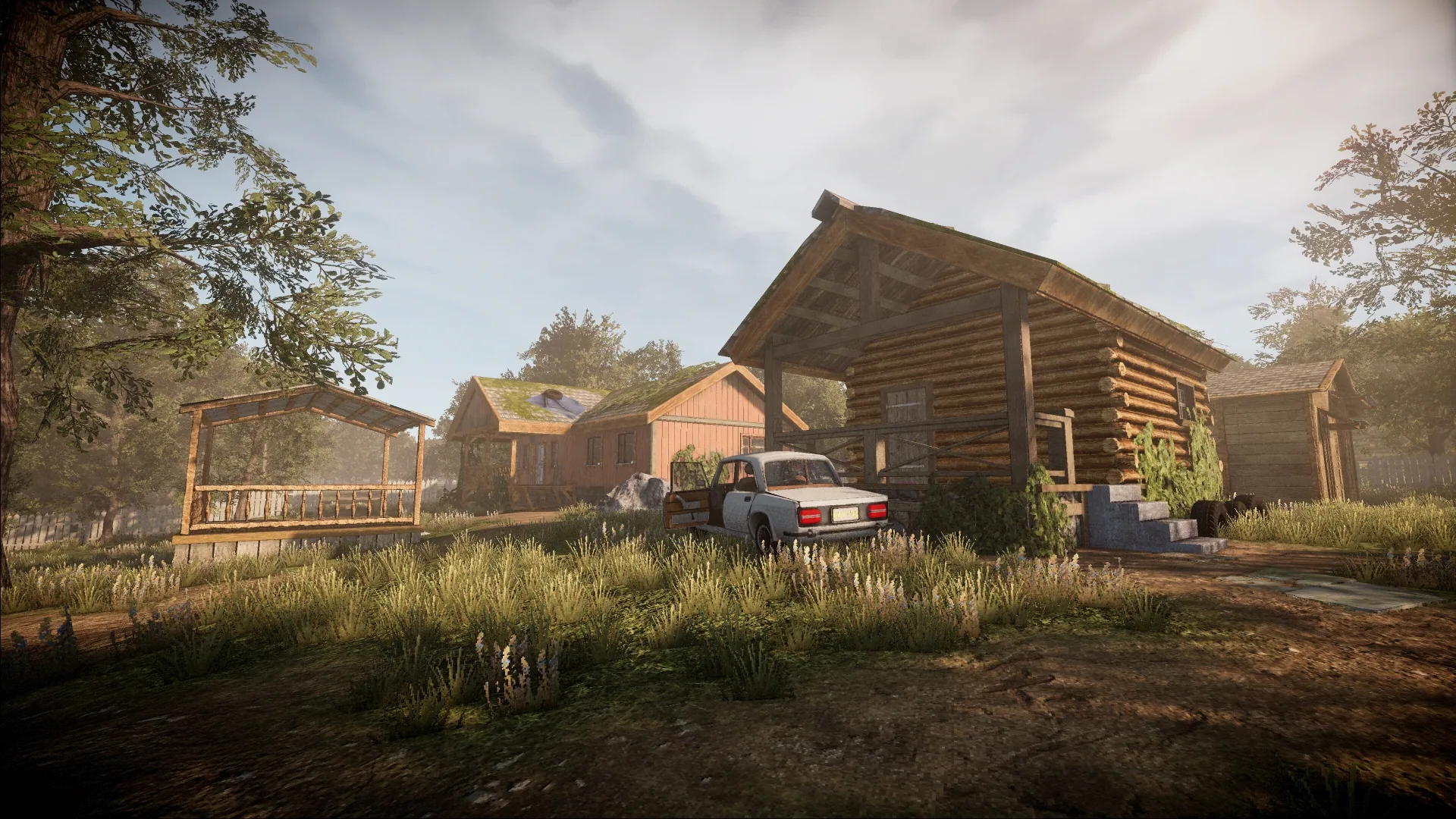
My Summer Cottage 2025 Update
An update to the game I am working on
December 30, 2025
This is an excerpt from the blog post we wrote on the Small Fish website, I’ve decided to post my parts here but if you’d like to read the full text, you can find it here.
My Summer Cottage
If you’re not already aware we have been hard at work on My Summer Cottage, our cozy cottage life simulator. As we approach the end of 2025, we wanted to share some exciting updates and insights into what we’ve been working on and what you can expect in the coming months.
Demo?
We are hard at work putting together a demo for My Summer Cottage. Our current goal is to have a playable demo ready by early 2026. We will initially release the demo on s&box. This will allow us to gain player feedback and make the necessary adjustments before we put the demo on Steam. We are awful with deadlines, but our goal is to have it ready by Q1 2026.
We haven’t been posting as much on social media as we are focusing on development, but we will be ramping up our social media presence as we get closer to the demo release.
Rewrite
The concept for My Summer Cottage was developed by ceitine in early 2023. It was planned to be a horror game originally. The idea was put on hold until the first s&box Facepunch gamejam in early 2024.
We won first place in that jam and our initial prototype for My Summer Cottage was created. It evolved quite a lot compared to the original concept. We like to think of it as a theme park and a mashup of games like My Summer Car, Stardew Valley, and Postal (by the way, we would like to thank the creator of My Summer Car for allowing us to use the name My Summer Cottage).
We took a bit of a break after the jam and worked on other projects. By early 2025 ceitine and I began rewriting the codebase from scratch. The original jam prototype was built in a hurry and was not designed to be expanded upon. The rewrite has allowed us to build a solid foundation for the game and implement features that were not possible in the original prototype.
Other members joined in and we have surpassed the original prototype in terms of features and content. We have a solid vision for the game and have built a strong foundation to bring that vision to life. Here’s a sneak peek of some of the things we have been working on.
Building
One of the major complaints we had with the original prototype is players didn’t even know where their cottage was. This is a bit hilarious considering the name of the game is My Summer Cottage. We wanted to make sure that players could easily identify their cottage and have a sense of ownership over it.
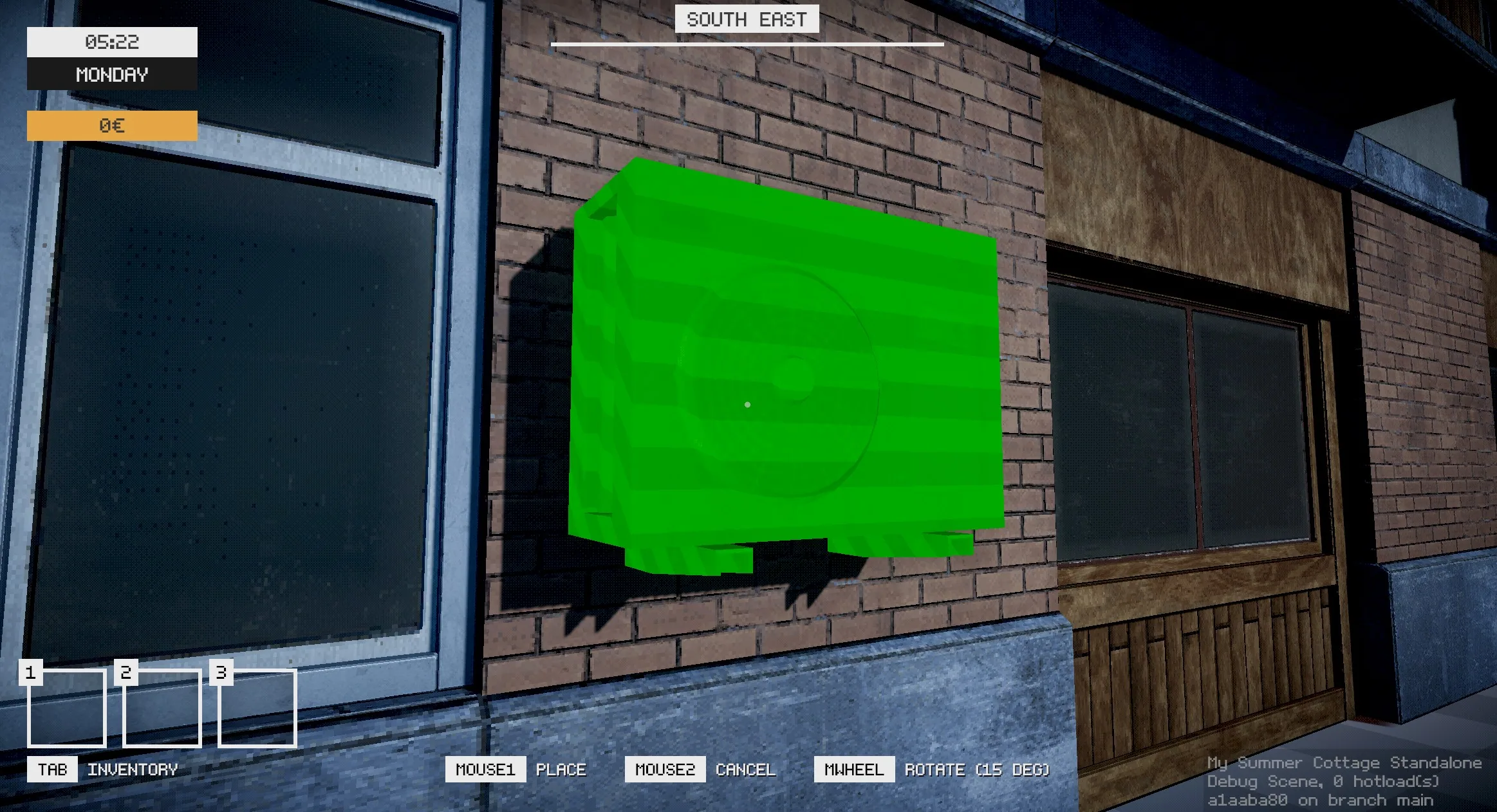
You’ll be given a cottage at the start of the game, and you’ll be able to customize and expand it as you progress through the game. We’ve implemented a building system that allows players to place furniture, decorations, and other items in their cottage.
Vehicles
Vehicles were something that we needed to get right for My Summer Cottage. We have plans for multiple types of vehicles in the game so we needed a solid system that could handle different vehicle types and behaviors.
I initially started my implementation by watching this great video. One thing that caught me by surprise was how easy it was to build a suspension system. From there on out we expanded upon it with the help of ceitine. We were however not satisfied with the limited options we had for controlling how the vehicles handled. We obviously could have added more parameters ourselves, but I opted for looking for a more robust solution.
The ArcadeCarPhysics repository has a fantastic base implementation for vehicle physics. Since Unity and s&box have fairly similar APIs, it was fairly straightforward to port the code over. I ended up open sourcing my port of the code which you can find on GitHub.
Now, we obviously kept tweaking it to fit our needs, yart actually did some additional work to improve the way we handle wheel traction. We ended up with a solid vehicle system that allows us to create different vehicle types with ease. Our bicycle, for example, uses the exact same vehicle system as our cars, but obviously with different parameters.
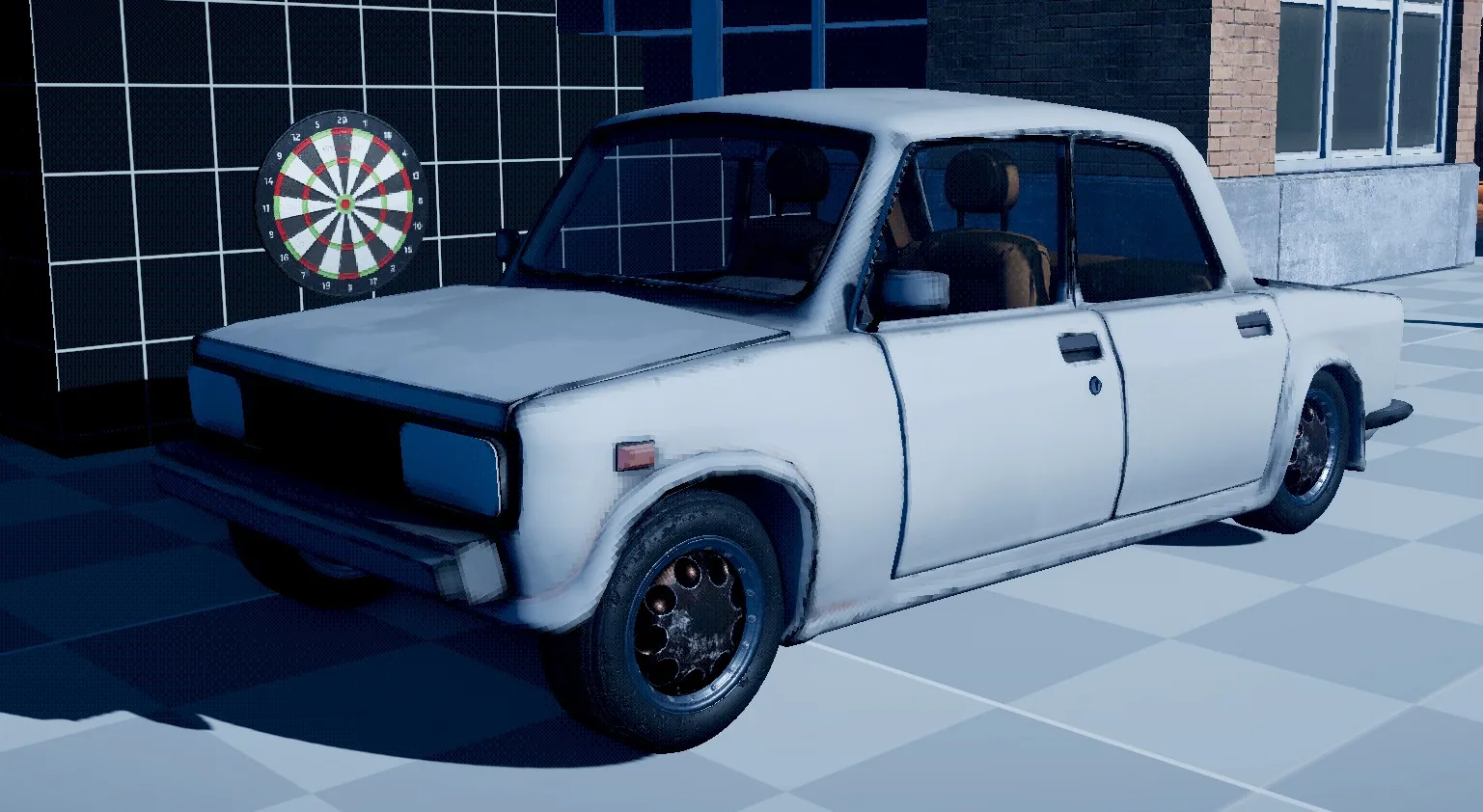
All we needed was our initial vehicle model, which ended up being created by PUKES. The choice of car was obvious, as we are a game based in the fictional land of Finland during the early 2000s.
Game Resources
During the game jam, we decided against using Game Resources for items because we could just define the data inside the component itself. However, this time around I took an approach of using resources for almost every data-driven aspect in the game, and it has worked out really well. Here’s some examples of how Items benefit from using resources:
- All resources already have an accessible unique identifier, this means we can network and serialize them with ease.
- You have access to the data in a resource without needing to instantiate the object, this is great for a multitude of reasons.
- You can use them in UI elements with ease.
- If you needed to search for an item in a players inventory, the unique identifier can be used.
- You can grab resources in directly into ActionGraph and use them directly.
- You can create custom editors for resources, making it easy to manage and edit data.
- Resources hot reload automatically when you make changes to them.
I wrote a nice tool that helps us create new items quickly. You can right click in the asset browser and create a new item. This will create the item resource alongside a default prefab which links to the resource.
There are probably other benefits that I haven’t mentioned, but, it all stems from the fact that you don’t have to instantiate an object to access its data, and you always have access to the resources (i.e by using ResourceLibrary.Get<T>(...)).
(Technically, you now can also fetch data from components without instantiating them, but it’s not as straightforward as using resources)
Save System
We really didn’t have a save system during our game jam prototype. The most we ever did was having each component handle saving and loading itself. This worked fine for the game jam, but scales poorly as the game gets more complex.
I ended up implementing saving and loading by allowing components to implement a ISave interface.
public interface ISave
{
	public string Identifier { get; }

	void OnSave( SaveWriter writer, SaveType type );
	void OnLoad( SaveReader reader, SaveType type );
}
The component just simply needs to implement this interface and that’s it. We have a SaveManager singleton that handles fetching every single ISave component in the scene and calls their respective OnSave and OnLoad methods. The SaveWriter and SaveReader classes provide a simple API for writing and reading data. The SaveType enum allows us to differentiate between saving the world or just the player data. We need this because if another player joins the game, we only want to load and save their player data. That way they can progress their character and return to their own cottage with their progress intact.
The save system uses binary serialization (reduces file size) but also supports delta saving. This means we only write data that has changed since the last save. Hopefully this will help reduce save times as the game gets more complex.
Interactions
We had an initial interaction system during the game jam, but there was some limitations I wanted to address this time around. Essentially, you can think of an interaction as any action that a player can perform on an object in the world. This can be anything from picking up an item, opening a door, drinking a beverage, or even dropping an item from your inventory.
An Interactable component can have many interactions. Below, you can see an example of how an interaction can be defined.
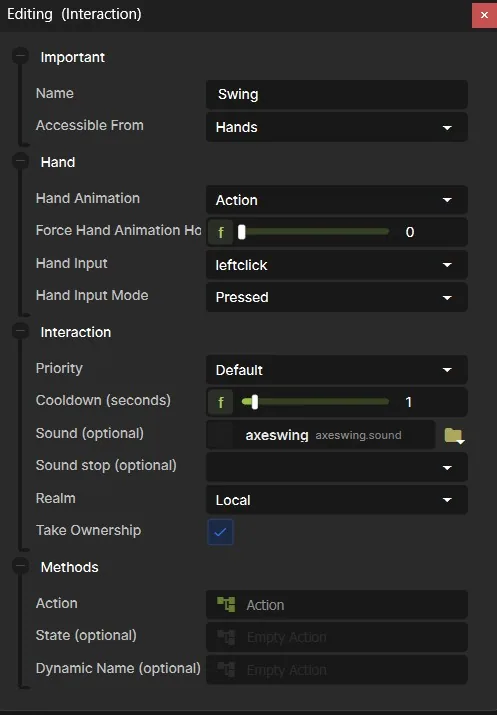
The biggest takeaway here is that an interaction has an extremely extensible interface that allows us to define custom behaviour for each interaction.
The newest additions this time around is the ability to define in what “realm” the interaction occurs. This means that we can execute an interaction on the host, local client, or all clients. Another addition (not shown in the screenshot) is the ability to define an interaction as a “charge”. This is great for things like drinking a beverage, where you want the player to hold down the interaction key to drink, and release it when they want to stop drinking.
Minigolf
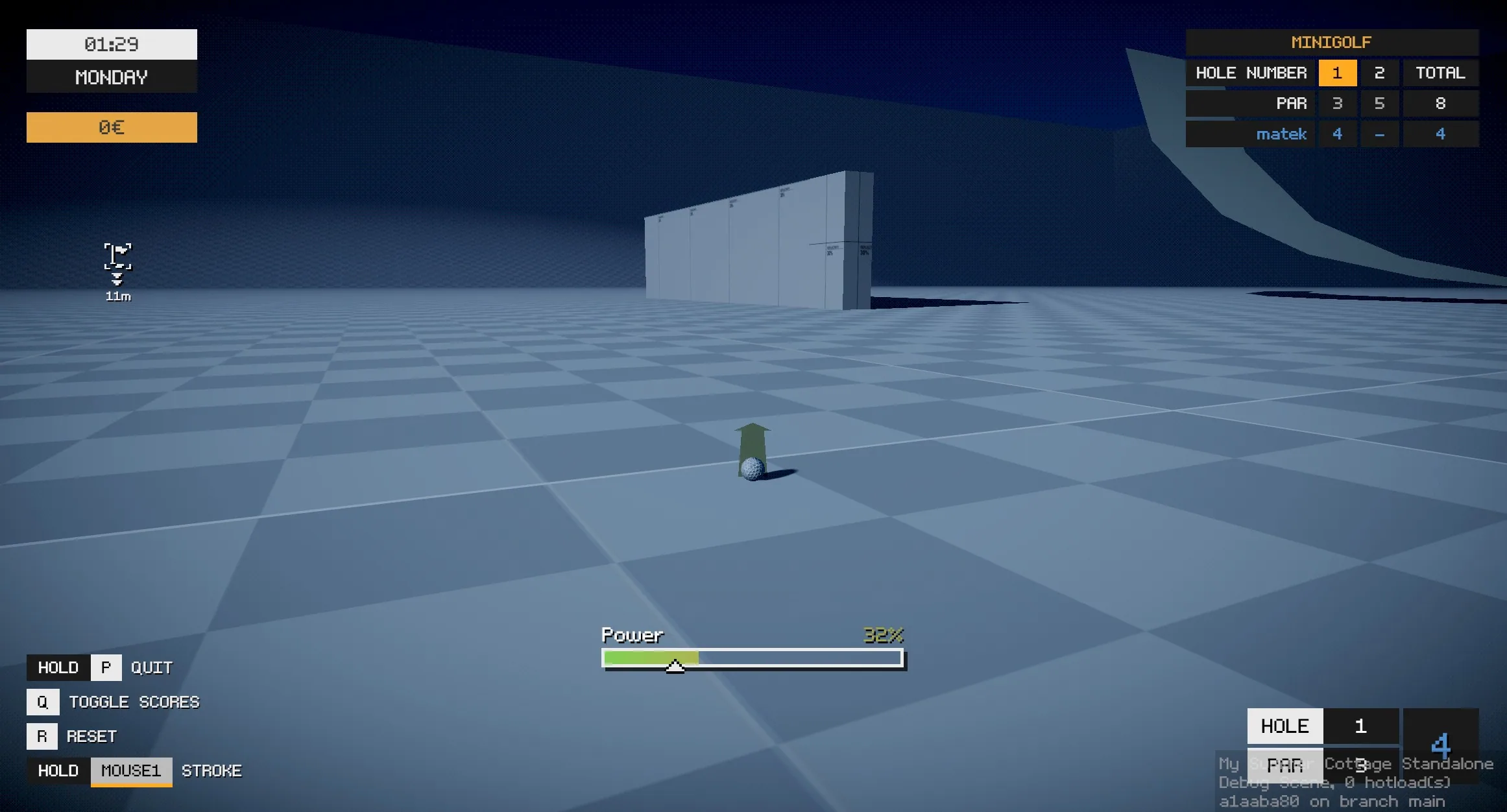
A couple years ago I worked on a minigolf game for s&box mostly developed by some folks over at Facepunch. I decided to write a minigolf implementation for My Summer Cottage as one of the side activities. You’ll be able to play through a course with your friends! Here’s a quick debug screenshot…
Jobs
The questing system for My Summer Cottage is referred to as “Jobs”. These are tasks that the player can complete to earn money, experience, or to progress through the story. The system is now more robust and allows us to create more complex jobs with ease.
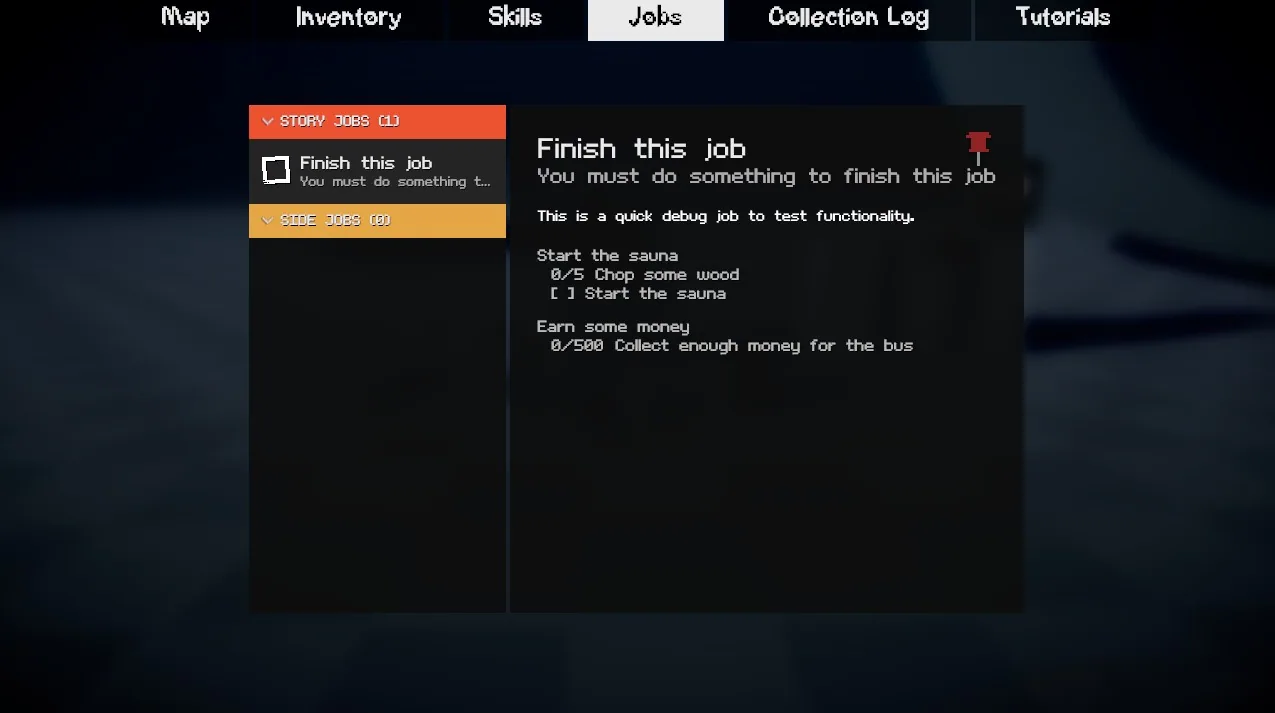
Here is a quick debug screenshot of the job system in action. Essentially, you can define multiple sub-tasks for each job. Each sub-task can have its own set of conditions that need to be met before it can be completed. These conditions range from a simple boolean check, meeting a specific number value, or even a signal that can be invoked from anywhere in the codebase.
Collection Log
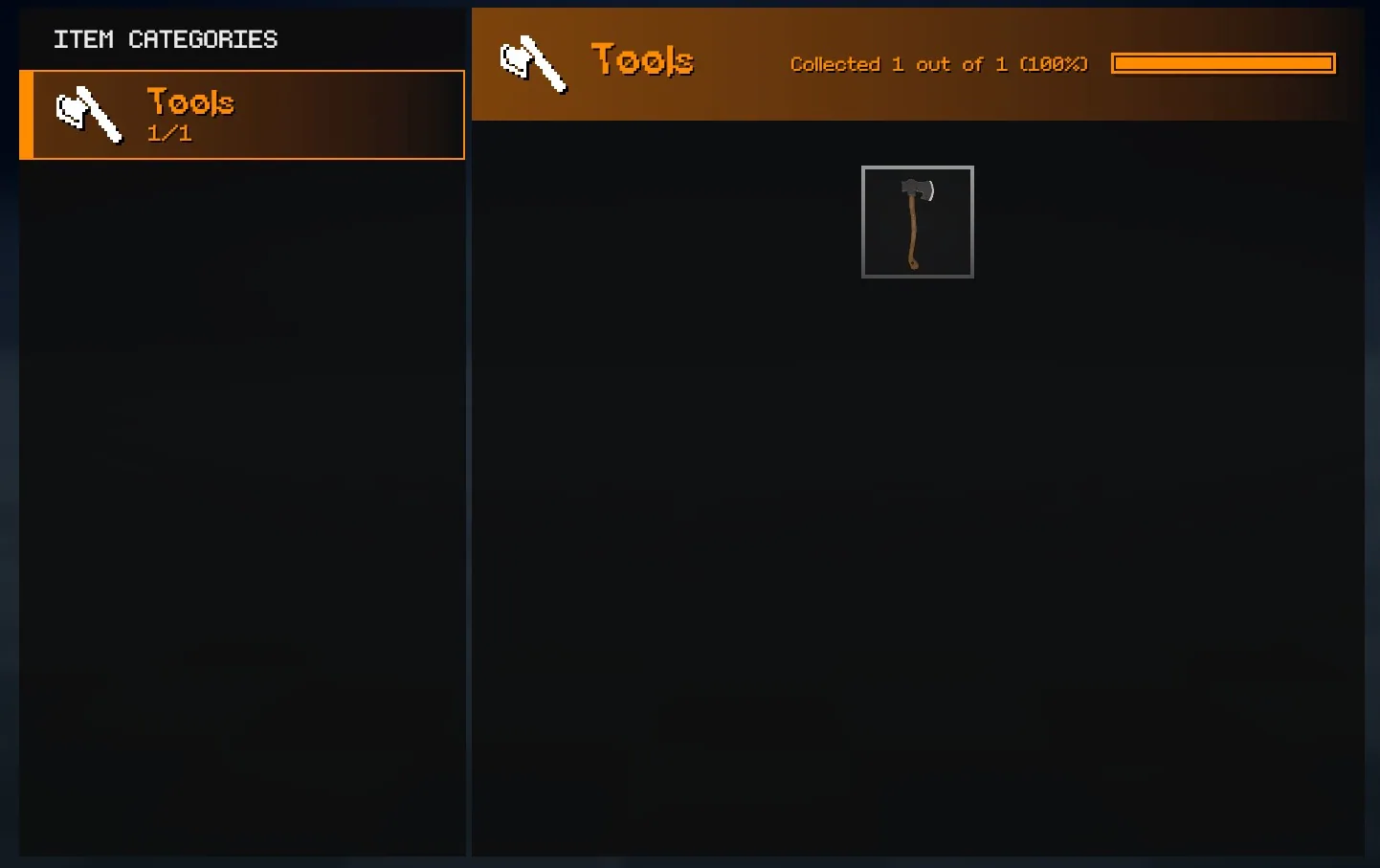
In the original game jam prototype, we had the concept of a “Fish Log” where players could track the fish they caught. This time around, we have expanded upon that idea and created a “Collection Log” which tracks specific categories of items. For example, we obviously have a fish category, but we also have a bug category, etc. We hope to have some nice rewards for completing the collection log.
Events
One of the features that didn’t really pan out in our game jam prototype was the event system. The way it worked is we created a bunch of potential events that could occur in the world (i.e RC car invasion, UFO sightings, etc). We would select which events would occur at the start of the day. This ended up being a bit lackluster as players would often miss out on events because they were not in the right place at the right time.
I’ve proposed a new design philosophy for events. Firstly, we should try to avoid random events completely. There isn’t any reason why we should lock meaningful content behind randomness. Instead, we should focus on converting any detailed events into jobs that the player can actively seek out and complete.
A perfect example of this is the Nigerian Prince event from the game jam prototype. This should have just been a job that the player received one day on their phone. The player would then be guided to the parking lot to meet the Nigerian Prince in person.
There is still room to have events, but, they should have triggers that the player can actively seek out. For example, a player visiting X location at a specific time could trigger an event.
Now in terms of implementation, I have a SaunaEvent that has the following properties…
public SaunaEventType Type { get; set; }
public bool Repeatable { get; set; }
public int TriggerTimesForEvent { get; set; } = 1;
public SaunaEventRealm InvokeRealm { get; set; }
public Action InvokeEvent { get; set; }

public List<Trigger> Triggers { get; set; } = [];
Similar to interactions I’ve given the ability to choose which “realm” the event should be invoked in.
Now, the interesting part here is the Triggers list. Essentially, you can define your own custom triggers that determine when the event should be invoked. A trigger could be anything from the player entering a specific area, to the player interacting with a specific object.
Here’s an example of a trigger that invokes an event at a specific time of day…
namespace MSC;

public class TimeTrigger : Trigger
{
	[Property, Range( 0, 24 ), Step( 1 )] public int Hour { get; set; }
	[Property, Range( 0, 60 ), Step( 1 )] public int Minute { get; set; }

	protected override void OnStart()
	{
		if ( TimeManager.Instance.IsValid() )
			TimeManager.Instance.OnTimeChanged += OnTimeChanged;
	}

	private void OnTimeChanged( int newHour, int newMinute )
	{
		if ( newHour == Hour && newMinute == Minute )
			Invoke();
	}
}
Now there’s a lot more to the event system (such as being fully networked and saved), but this gives you a good idea of how it works. I hope this allows us to create some more interesting and engaging events for players to experience. We have the ideas, now it’s just a matter of implementing them.
Skills
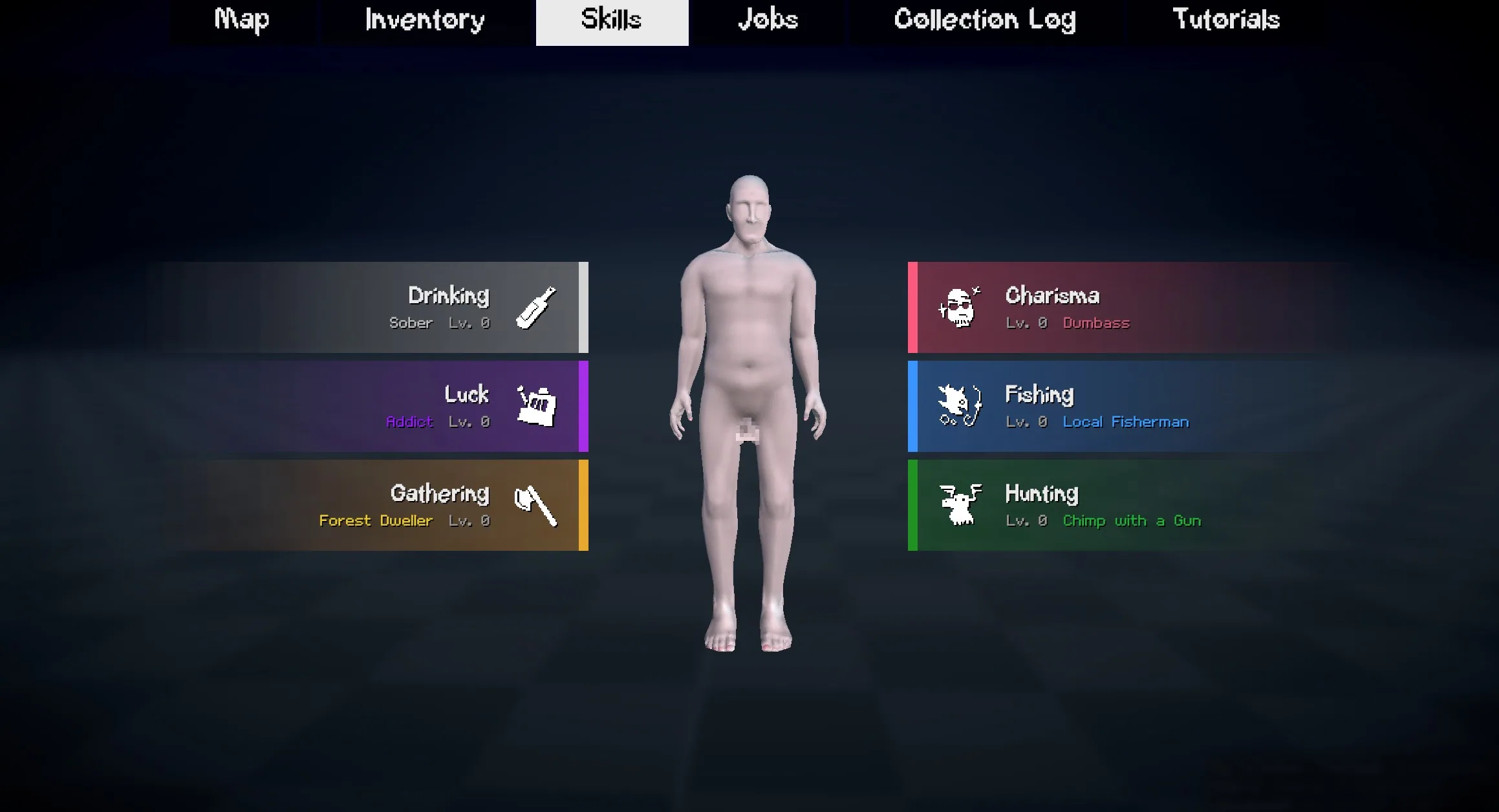
We have added a skill system to the game. Players can level up various skills such as fishing, drinking, hunting, and more. As players level up their skills, they unlock new perks and abilities that make them more efficient at their chosen activities. There won’t be any elaborate skill trees, but rather a simple progression system that rewards players for investing time into specific activities.
Pawns
We decided to use the pawn library I wrote for handling the player possessing different entities in the game. This allows us to easily switch between controlling the player character and other entities such as golf balls, cameras, and more. I don’t have much else to say other than it’s a feature complete library and we’ve used it in Death Card and Blocks & Bullets.
Phone
The phone is making a return and hopefully it’ll actually have some functionality this time around. The phone really serves as a method for NPCs to contact the player. It’ll be the primary method NPCs use to give the player jobs, tips, and other information.
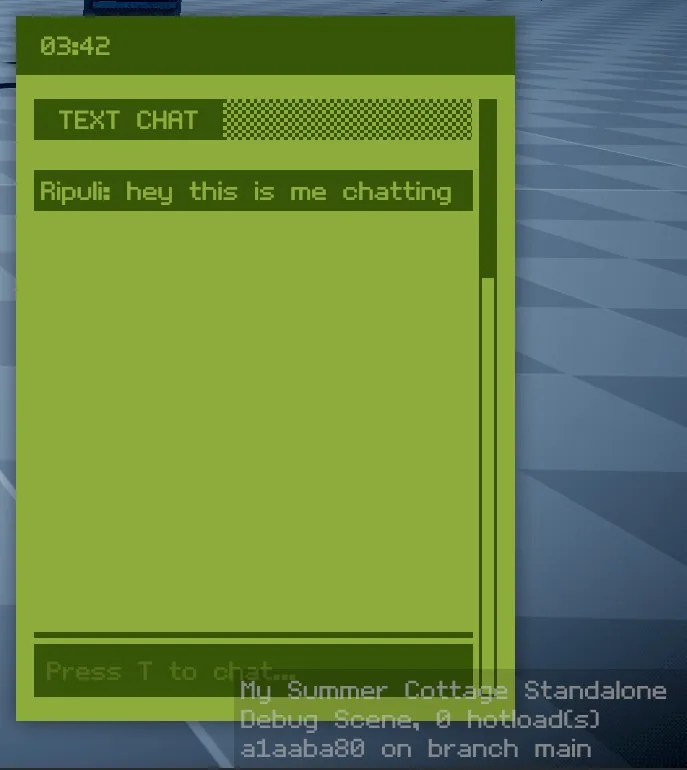
We’ve also integrated text chat into the phone, so players can communicate with each other through it. We don’t expect many players to use it for communication (since most will be on voice chat), but it’s a fun feature to have nonetheless.
Crops
I’ve implemented a basic crop system for My Summer Cottage. Players will be able to plant, water, and harvest crops in their garden. Different crops will have different growth times and yield different rewards. We don’t know how deep we want to go with the farming aspect of the game, but it’s a nice little side activity for players to engage in.
Tutorials
We really suck at guiding our players through the game. It could be the case that we just deprioritize tutorials during game jams, but I really wanted to make sure that players knew what the fuck was going on this time around.
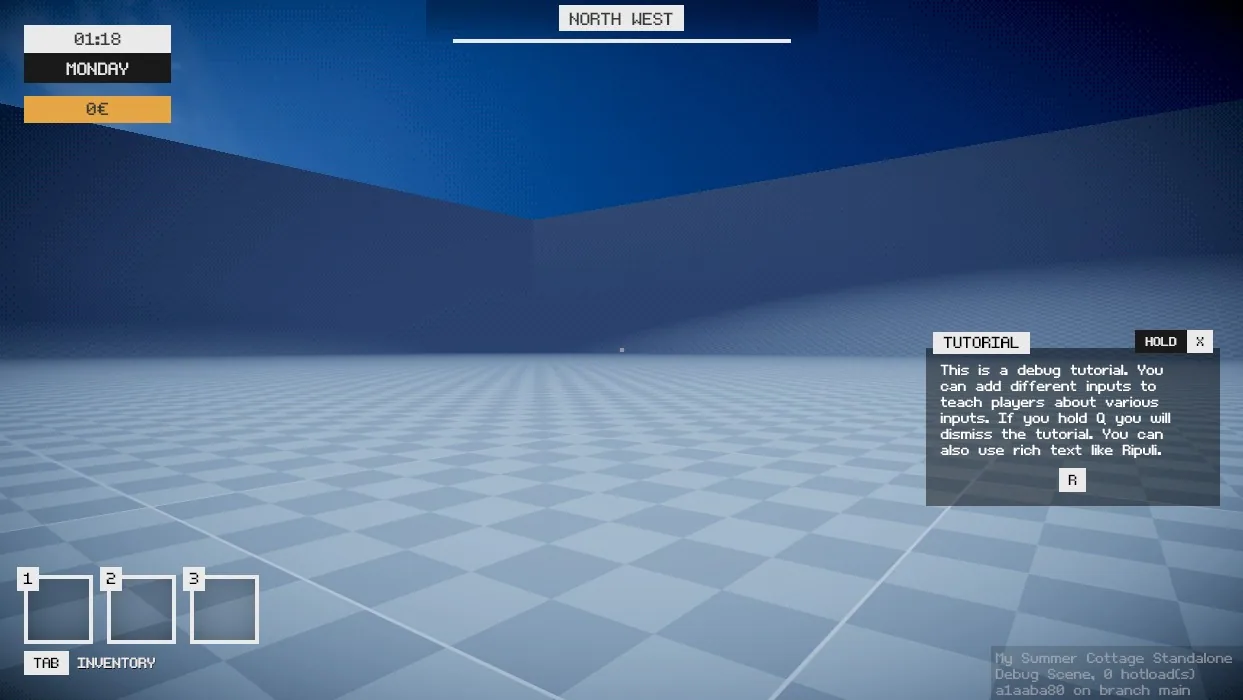
I’ve implemented tutorials that show up in-game and also within the user interface.
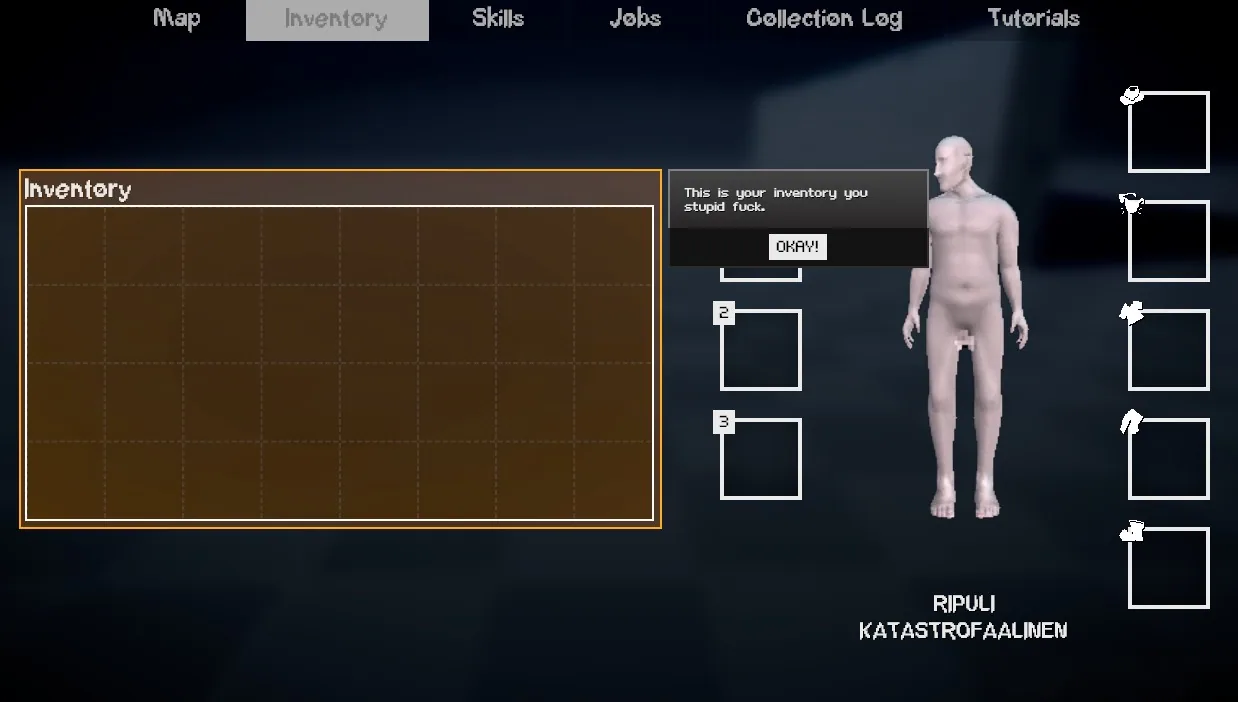
There’s even a location to view the tutorials afterwards in the tab menu.
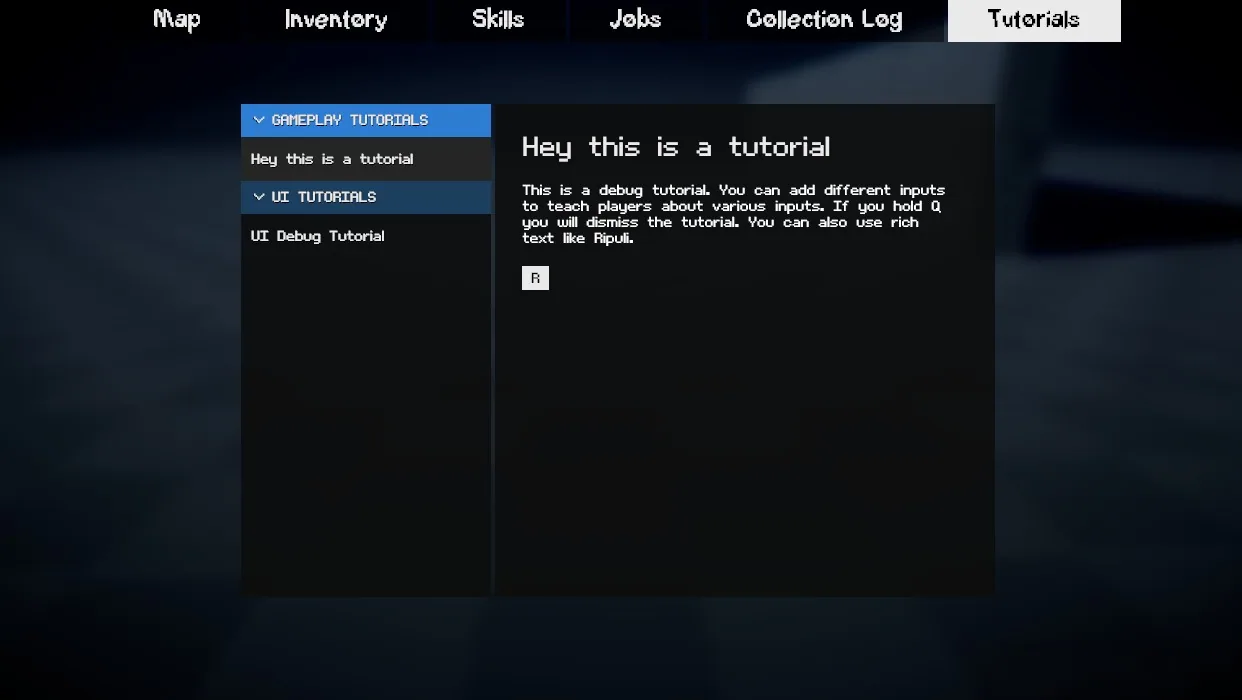
If we fail to explain the game this time around it’s on us.