VKDriven #1 - Vulkan
Let us try Vulkan again...
September 26, 2026
I tried Vulkan a couple years ago and completely hated it. Partly because I was brand new to graphics programming, but also, I was shocked that a modern API would require you to write a thousand lines to render a simple triangle. I obviously understand why it’s so verbose, but still, a thousand lines? I gave up and decided to start with OpenGL which ended up being the right choice.
So I’m back again with my graphics programming journey hopefully here to make more progress than my last two attempts Lean Engine and Based Engine. I’m still proud of those projects because they laid out the fundamentals of graphics programming. To the point where I had an interview earlier this year at AMD for a graphics programming job that went beyond well. I didn’t get the job, but I was able to flawlessly answer every single graphics programming question they threw at me.
Anyways, I’m here to continue on my graphics programming journey once again this time with Vulkan. What’s different about this time?
- Vulkan 1.3 is available and way less verbose
- I’m familiar with a lot of graphics programming concepts
- AI has taken over programming
At this point if I wanted to I could probably vibe code my way to a Vulkan rendering engine. However, I won’t be doing that. Similar to my previous approaches I’ll be writing blogs about various concepts in order to solidify my learning. I actually find those previous blogs as extremely good interview prep in case I forgot some previous concepts. Will I completely avoid using AI? Of course not. It’s an amazing tool to learn and research, alongside just getting rid of headaches like setting up a C++ project.
I’ll be using https://www.howtovulkan.com as my initial guide to getting started with Vulkan. From there I’ll branch out and again implement various types of different graphics programming concepts.
You can find the repo for VKDriven here. Can I just say how much it is a delight to just have AI handle the generation of a C++ project? I was up and running within a couple of minutes.
Vulkan
I’ve previously tried Vulkan a few years ago and it remains to be an extremely verbose API. I can’t really fault the developers because they designed it with that intention. It allows the developer to define practically everything, including building out their own abstraction in-case people like me complain about how verbose it is.
Vulkan 1.3 is overall a lot nicer. There are a thing things it introduces which significantly cuts down on the amount of total lines. I followed the tutorial mentioned above and had something rendering in a couple of days.
Querying
Almost everything in Vulkan requires you to query… whether it’s selecting a GPU or figuring out what query families a GPU supports. You have to query for almost everything and it just adds to the verbosity (I imagine it’s also annoying handling all the error cases).
Shaders
Vulkan uses SPIR-V which is an intermediate language. This means that you can use whatever language you want as long as you can compile your language down into the intermediate language. I’ve heard awesome things about slang, so I’ll be using that this time around.
Command Buffers
Command buffers record commands for the GPU and are submitted to queues. They are allocated from command pools, each of which is created for a specific queue family. A queue belongs to a queue family, and each family supports a set of capabilities, such as graphics, compute, or transfer. A device may expose multiple queues and families, but their number and capabilities depend on the GPU.
Synchronization
Vulkan forces you to handle synchronization yourself!
| Tool | Communicates between | What it does |
|---|---|---|
| Fence | GPU → CPU | Lets the CPU know a submitted job has finished. |
| Binary semaphore | GPU submission/queue → GPU submission/queue (or presentation) | Makes one submitted job wait for another to signal it. |
| Pipeline barrier | Earlier GPU operations → later GPU operations | Tells the GPU which earlier work must happen before later work, and makes its writes visible to that later work. |
Frames in Flight
It’s typical to setup “frames in flight” i.e (FRAMES_IN_FLIGHT = 2) the CPU can prepare a new frame while the GPU is still rendering the previous ones.
It’s similar to double buffering, where we have a second frame prepared while we display another to the user. However, these two frames in flight are CPU/GPU work slots with their own resources. You typically create two sets of resources so that when you setup the second frame you have resources already allocated for it.
The swapchain could have two or three images, but, you might only have two frames in flight.
One Frame
Here’s kind of a rough idea of what it takes to display a frame.
- Waits for the fence so it can safely reuse that frame’s resource.
- Acquires an image from the swapchain.
- Updates data the shaders need.
- Records the rendering commands into the command buffer(s).
- Submits the command buffer to a queue, using semaphores to coordinate GPU work.
- Presents the rendered swapchain image.
Vulkan 1.3+
Dynamic Rendering
You previously needed to create a VkRenderPass and VkFramebuffer objects ahead of time. You don’t need any of those anymore, you can just define what kind of attachments you plan to use right before you render and pass them in. This cuts down on boilerplate and makes it easier to choose what attachments you want at runtime (i.e color, depth, stencil).
Bindless
You can put textures, buffers, etc. in large descriptor arrays, the shader itself will select the resource using an index. Before this, the CPU needed to select the resource before you actually draw.
Validation Layers
An extremely helpful flag that inspects Vulkan calls and reports API mistakes, i.e using something incorrectly, I’ll have this always enabled during my development!
Image and Image View
An image stores the data whereas an image view tells Vulkan how to access the image.
Descriptors
Descriptors let shaders access resources such as buffers, images, and samplers. It tells the shader what resources it can access and where.
Memory and Resources
You also have to allocate memory yourself in Vulkan. A lot of tutorials end up using Vulkan Memory Allocator instead of handling this yourself.
Conclusion
Don’t use Vulkan if you are just getting started with graphics programming. It still makes sense to start with something like WebGPU or OpenGL, an API that is designed to abstract away the complicated bits.
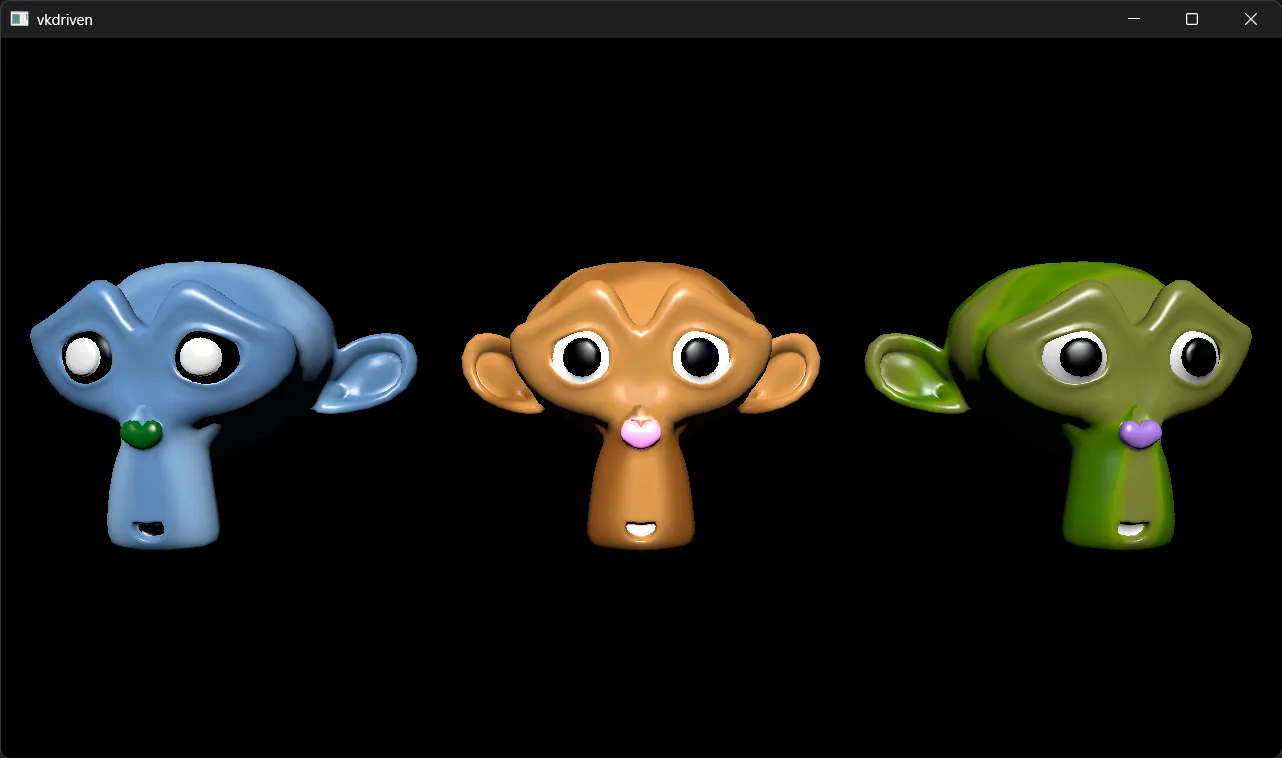
I do have to admit though, it was only ~1000 lines to get a few models rendering on my screen, so that’s a lot better than what it was before.
There’s probably some explanations that need some work in this “blog”, but, as a first pass these are kind of the topics I found important jumping into Vulkan.