VKDriven #2 - Project structure
Abstracting away
September 30, 2026
So I finished up https://www.howtovulkan.com which left me with a ~1000 line main.cpp file with everything I needed. The next step was to abstract away all the logic, this blog will talk about the different parts of that process. Here’s a snapshot of the repo as it stood when I wrote this post.
app.cpp
Handles the initialization of the entire program, as well as the render loop. It owns all the various components and coordinates initialization and rendering. You’ll see the various parts it contains talked about below.
Utils
check.h- Contains helper functions for printing out errors when they occur, uses
std::printlnwhich is an incredible addition to C++ in the year 2023 😂.
- Contains helper functions for printing out errors when they occur, uses
handle.h- When using Vulkan you do have the option to use Vulkan-Hpp which gives you a C++ API with RAII.
- In my case, all of the tutorials use the C API, so I stuck with it.
handle.hintroduces my own RAII wrappers for the common Vulkan objects.
window.cpp
We handle creating the SDL window here with the intent to use SDL w/ Vulkan. There’s some other functionality here such as listening to various SDL window events.
instance.cpp
We begin to actually initialize Vulkan here (connecting our application to Vulkan). We define what version of Vulkan we plan to use VK_API_VERSION_1_3 (1.3) as well as enabling Vulkan Validation Layers (VVL) when we build in debug mode. These help us figure out if we are calling Vulkan APIs correctly.
surface.cpp
The link between the Vulkan instance and the SDL window.
device.cpp
- The actual physical GPU is found and stored here.
- We figure out what queue family we want to select.
- We enable various Vulkan 1.3 features such as dynamic rendering and synchronization2.
- We create the Vulkan device here
allocator.cpp
- A wrapper for VulkanMemoryAllocator, we pass this around whenever we need to allocate memory, VMA handles the allocation and managing of Vulkan device memory.
- Reminds me of my NVIDIA days where the library I was working on allowed people to pass in whatever type of memory allocation method they wanted to use.
buffer.cpp
Wraps a Vulkan buffer and its VMA allocation. Buffers store data such as vertices, indices, and shader parameters.
image.cpp
Wrapper for VkImage and VkImageView, used to store textures (or other things), the image represents the resource, whereas the image view describes how rendering or shaders will access it.
command_pool.cpp
Owns a Vulkan command pool, from which we allocate command buffers to record GPU work. It also provides a helper for one-off submissions, which submits the work to a queue and waits for it to finish before returning.
swapchain.cpp
Creates and manages the Vulkan swapchain.
- We ask for the minimum number of images the surface supports (capabilities.minImageCount), but the driver is allowed to give us more, so we query how many it actually created. The present mode is FIFO, which is vsync.
- We also have three different types of swapchain statuses.
VK_ERROR_OUT_OF_DATE_KHRthe swapchain needs to be recreated (i.e screen resized).VK_SUBOPTIMAL_KHRthe swapchain can proceed but is performing in suboptimal standards.VK_SUCCESS.let’s render away.
frame_resources.cpp
Handles the “frames in flight”. We define two frames in flight, which means that the CPU can begin recording frame N+1 while the GPU is still working on frame N. For each frame we need to have two copies of each data.
sync.h
Helpers for creating fences and semaphores, plus pipelineBarrier, which records a vkCmdPipelineBarrier2 (the synchronization2 version of barriers) into a command buffer. Read about how they work in my previous blog.
shader_compiler.cpp
Handles the compilation of the slang shaders, see file_watcher.cpp for how hot-reloading works.
graphics_pipeline.cpp
A pipeline bakes almost all GPU state into one object up front: shaders, vertex layout, depth testing, blending and so on.
- The vertex layout comes from
Vertex(position, normal, UV). - Viewport and scissor are dynamic, so resizing doesn’t need a new pipeline.
- Depth compare is
GREATER_OR_EQUALbecause I use reverse-Z, which spreads depth precision much more evenly than standard Z. - With dynamic rendering there’s no
VkRenderPass. The pipeline only needs to know the formats of the images it will draw into (VkPipelineRenderingCreateInfo). Which images is decided later, when recording.
viewport_target.cpp
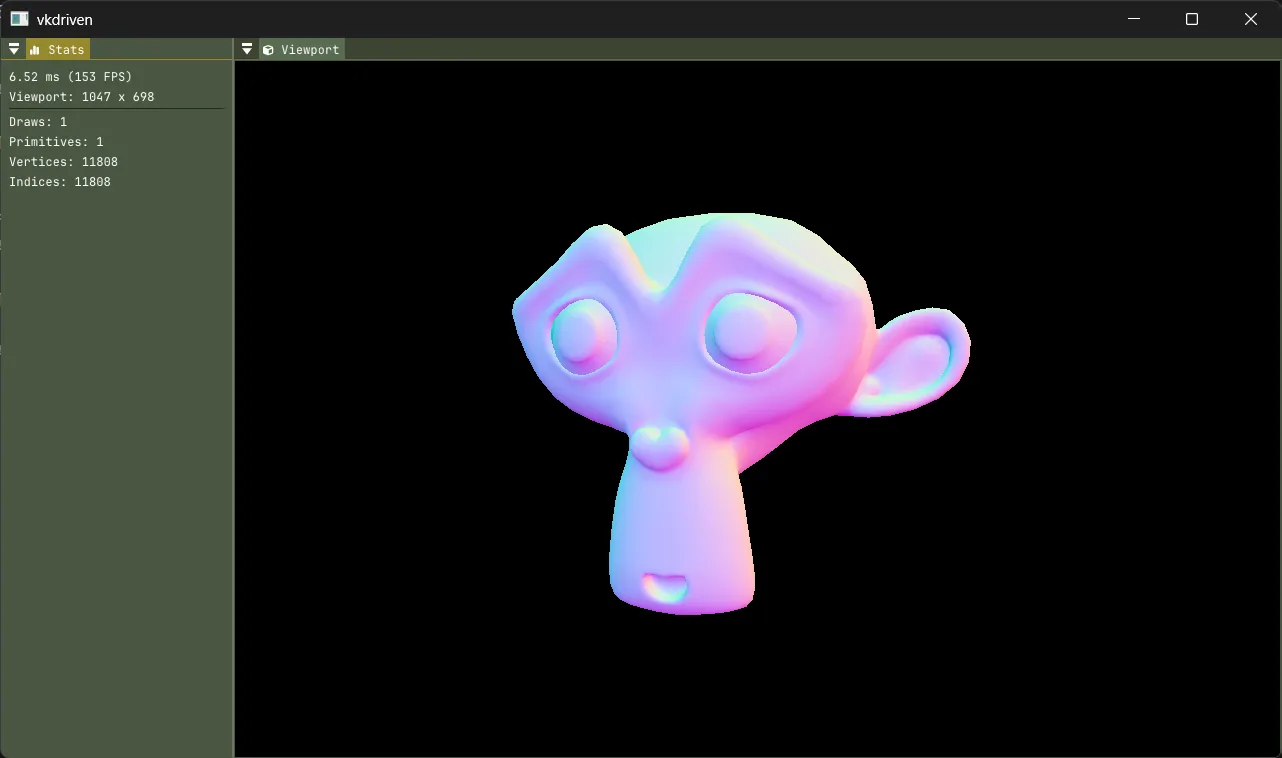
The scene doesn’t render straight to the screen. It renders into its own colour and depth images, which ImGui then shows inside a dockable “Viewport” window, a bit like a game engine editor. When the window is resized, the images are recreated at the new size.
Putting it together: one frame
Back in app.cpp, each loop does the following…
- Polls window events, reloads shaders if they changed, and recreates the swapchain if the window was resized.
- Builds the UI and updates the camera.
drawFrame():- Waits on this frame-in-flight’s fence, so the GPU is done with its command buffer and data from last time.
- Acquires a swapchain image. The image might still be in use by the screen, so acquiring hands us a semaphore that’s signalled when it’s actually free.
- Writes this frame’s view/projection matrices.
- Records one command buffer: the scene pass, then the UI pass (draw ImGui onto the swapchain image, then move it into the layout for presenting).
- Submits it. The GPU waits for the “image acquired” semaphore before writing to the swapchain image, signals a “render complete” semaphore when done, and signals the fence for the CPU.
- Presents, which waits on “render complete” before the image goes to the screen.
Conclusion
I imagine a lot of this will stay the same (with additions), but, I guess we’ll see as we get further into this project.